

Want to improve your AI Art with some top tools?
I share my personal favorite / Top AI Art tools below that will take your Midjourney / AI Art images to the next level!
It’s an extensive list.
This ranges from Ai tools, to image editing tools to fine tune your work with or even taking your images and turning them into videos!
Just note that the following are the tools I mention, that I also use and highly recommend. Some of these are affiliate links I earn a commission from, but this is what I use and swear by!
Want FREE Ai Art Resources?
Check out my AI Art Prompt Formula Guide & Midjourney Cheat Sheet
My Top AI Art Tools
Below are the tools I mentioned. There’s some brief information for each tool and a link. However, I did base this post off a video I created
You can watch the video here on YouTube if you prefer
However, I didn’t mention specifically in the video, if you are looking for an AI Art platform to use.
I touch on some below, but otherwise, here are my top AI Art platforms:
- Midjourney – Produces the most aesthetic images most easily, but less features than below.
- Leonardo AI – A more complete suit of AI Tools with excellent image quality
- Open Art AI – Much like Leonardo Ai above but with even more tools, quality of images not quite as good as Leonardo (in my opinion)
- Dzine AI – A full AI image suit with a comprehensive Image / design editor attached.
- Kittl – An AI Platform aimed at designers, especially in the Print on demand niche.
Otherwise, let’s get into it!
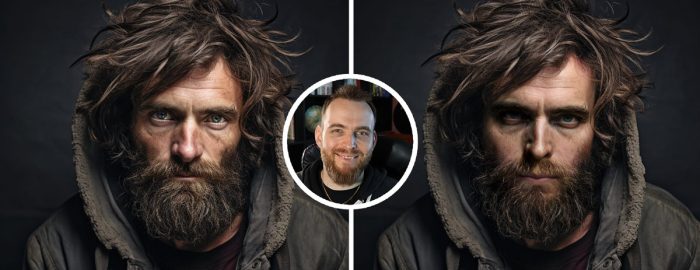
Picsi Face Swapper
This does exactly as described, allows you to change the face on an image by uploading a source face, and atarget image. It will then use AI to make the swap!
AI Clothes Swapper
This platform has a few tools for face-swapping. Similar to above, but it has a really useful clothes swapper, you can simply prompt for the clothes you’d like to see and the AI will swap it over!
Seamless Tile Checker & Image Creator
A simple tool for testing seamless tiling whilst also offering output of a tiled image you can use to create large patterns. Great with any Stable Diffusion or Midjourney Tile function.
Adobe Express
Full Design Editing Tool & Apps
A Free design and editing suite that allows for effects, text, design options and even AI tools. There are some really hand stand alone interfaes that AI Art enthusiasts can use for free.
Find the main Adobe Express Tool here
Useful Free Tools:
Pine Tools
Free Image Editing apps
This Free website has a TONNE of useful image tools. Although mostly basic, they can offer a reliable resource for people who don’t have a full image editor.
Just some of the stand out options you have:
- Adjust Image Brightness, contrast, hue, saturation & vibrance
- Change Exposure levels
- Add a sepia effect
- Add noise
- Sharpen an image
- Add duotone or special filters for color effects
- Add other effects like vignette, tilt shift blue, blur, etc
- So many more
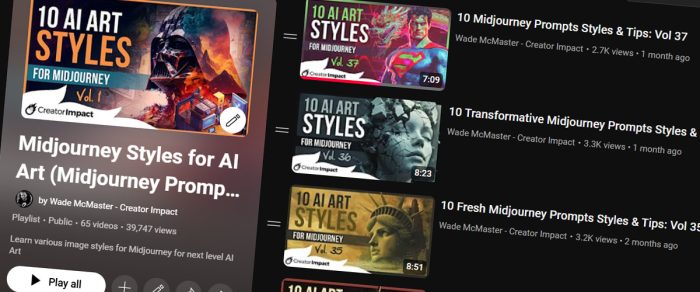
AI Art Styles Video Playlist
Every couple of weeks I release a video showcasing a number of style phrases you can use in AI Art platforms, with the images I use being made in Midjourney. I also display the exact prompt I used, always with default Midjourney settings.
I’ve had a number of people comment, and tell me they use this on Stable Diffusion and other platforms.
Start watching here (it’s free!)
Extra: If you want a full style resource with 100+ styles, check out my style pack here.
Prompt Formula Free Guide
If you need a hand learning how to craft prompts or even jsut a simple copy/paste solution, check out my free Prompt Formula guide.
Download it here
Note: you will need to subscribe to my free Midjourney Email Newsletter to gain access.
FreePik
Image & graphics search engine with AI Tools
FreePik is an awesome resource for finding photos, AI Art, graphics and templates whilst offering a bunch of AI Tools!
Some of the AI Tools are:
- AI Image Generator
- AI Video Generator
- Mockup Generator
- Image Editor
- Custom Characters
- Icon Generator
- So many more
Many tools are free, but their is also a paid tier.
Pexels
Find Royalty Free photos and videos here. Images are great for Image Prompting, style references, etc. But the videos are also an incredible handy resource.
Unsplash
Much like Pexels above, but specialising in images and has incredible high quality photos, just like Pexels.
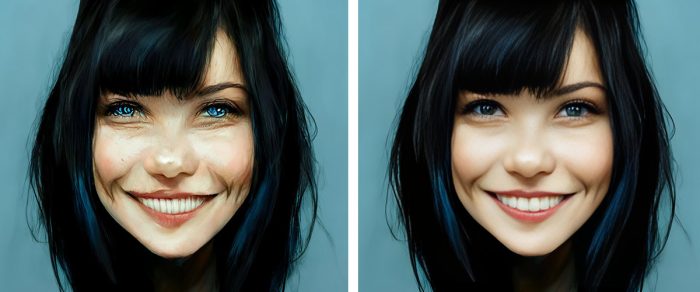
GFPGan
Fixes Faces with AI
AI often messes up faces, this tool can fix them in a simple drag and drop interface. Many options are available and some often aren’t working, so I have some options below.
A few options:
- Full YouTube Tutorial
- Replicate simple Interface
- HuggingFace simple interface
- Full GFPGAN interface (see tutorial above)
Kling AI
Generate insane AI videos
The current heavyweight in the AI Video space. Convert your images to videos, along with a tonne of other methods and tools for the highest quality AI videos out (at time of writing)
Runway
Another powerful AI Video platform
Runway has long been among the top AI Video platforms out there and has it’s own suite oif unique tools for creating Ai generated videos
Tiny Wow
Full suite of Free AI Tools
It’s not just image AI Tools, but PDF, Video, Writing and File tools. But for now I’ll focus on the AI Image tools.
The AI Image Tools available at TinyWow for FREE are:
- Image Generator
- Background Remover
- Image Upscaler
- Watermark remover
- Object and People remover
- Blur Background
- Image colorizer (black and white to color)
- So many more!
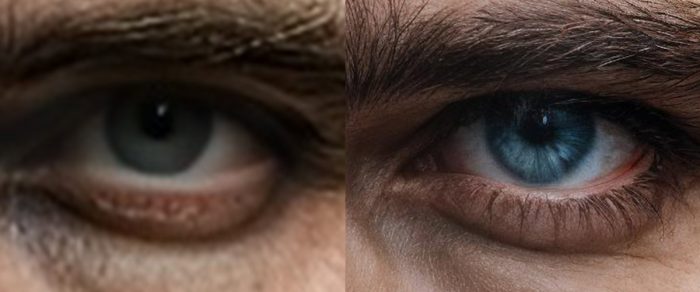
Topaz Gigapixel
Next Level AI Image Upscaling
I swear by this tool. Take small images made with AI Art platforms (or even just photos) and use AI to make them much larger whilst regenerating detail so you get a genuinely high resolution image.
Watch a full Gigapixel Tutorial
Or read this blog post for an in-depth look at Topaz Gigapixel
This is a premium tool, but worth every penny:
Upscayl
A Free AI Upscaler
This free upscaler isn’t as powerful as Topaz Gigapixel, but does an amazing job for free tool. Does crash sometimes but is great for the budget conscious.
IMI Prompt
Ai Art Prompt Builder
This was made for Midjourney V5.2, so it seems outdated but is still a powerful way to discover new styles and build a custom prompt within a very handy interface. Useful for all AI Art platforms.
Vectorizer AI
The AI Image to Vector tool out there
Drag and Drop Image tools can save a tonne of time. Most do a terrible job but Vectorizer really nails it, but is a premium tool.
Need a Free alternative? try the Adobe SVG Converter – but it is a bit messy by comparison.
Adobe Illustrator Vector Tools
AI Vector Graphic Generator
Adobe Illustrator is the most comprehensive and powerful Vector Art program in existence today. It now has the ability to generate complete vector graphics using AI with a basic prompt and some simple settings.
Wirestock
Submit to AI Art & Photos to Various Stock Photo Sites
This tool is a massive time saver as it allows you to upload AI Art and photos, it will use AI to automatically tag and describe them and submit to a number of Stock Photo sites for you.
You keep the majority of the sale also, so you can take a number of your best images and sell them with little effort to get them up on the marketplace.
Leonardo AI Tools
One of the most comprehensive AI Art platforms out there
This is more than a Stable Diffusion based AI Art Tool, Leonardo have take the quality of their images to the next level but also offers a tonne of other tools.
Leonardo AI has:
- An AI image generator (both Stable Diffusion & Flux models)
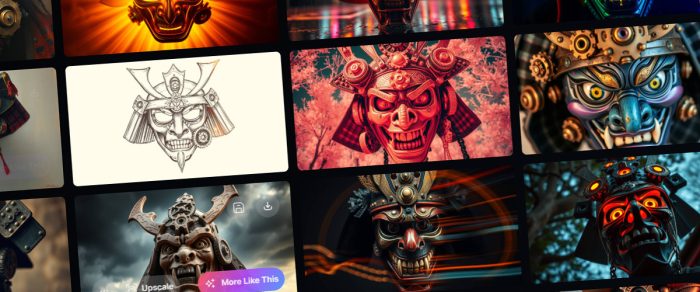
- Flowstate – see image above, create many images in different styles from one prompt (see this tutorial)
- Realtime Image Generator – experience with your prompt and settings with realtime results (rough)
- Realtime Canvas – Like above but you can draw ort use reference images to influence the output
- Image to Video with a single click
- Ultra AI Image upscaler (very high quality diffusion upscaler)
- More
Check out Leonardo AI (Free Tier available)
Adobe Firefly
This works in Adobe Express and Photoshop, but it has one really unique tool I think goes overlooked, the AI Text Effects. But also has several other AI Art tools
Ideogram
Best AI Art & Text Generator Combined
This platform is well known as another of the comprehensive Ai Art suite but with one defining difference – it uses Ai to add text to it’s images with a level accuracy that is unmatched so far!
PixResizer
Bulk Image Resizer / Converter
This powerful little windows app can take anywhere from one to thousands of images and convert their file type, resize and even crop in bulk, with a single click. A massive time saver for Ai Art enthusiasts who have a library of images to organize.
Postimg.cc
Free Image Upload / URL
This website is simple, drag and drop an image into it and use the direct link it provides as a URL in your image prompts (if they don’t offer a file upload, but rely on URL’s instead)
FreeFlo
AI Art Prompt Resource
Look up AI generated Photos, Illsutrations and grpahics to copy their prompt. Also a great source of SREF codes for Midjourney!
Bonus: Check out my Midjourney SREF Codes resource here.

Adobe Photoshop
The Ultimate Photo Editor with AI Art tools – Full Tutorial Playlist here
In my opinion, Photoshop is one of the greatest programs to ever exist for creatives. You can create art entirely from scratch or edit your Ai Art, even combined and photoshop several image for next level results.
But Photoshop also has powerful AI Tools, like Generative fill and several neural filters to clean skin, change facial expression or completely restyle images.
If you want to create the best images possible, learn Photoshop to adjust and enhance your images.
Photoshop has the vast majority of the tools in this blog post included as part of it’s in app options.
Canva
Powerful free image editor and design tool with AI Tools
This is the most popular free online image editor and design tool (although it does have a premium tier). Creating basic designs and effects is super easy and it also has some AI tools and image generators within it.
OpenArt AI
Another top comprehensive AI Art platform
Similar to Leonardo AI, OpenArt is a Stable Diffusion & Flux based AI Art Tool but has more features available but not quite has high image quality (still great though!)
it includes
- An AI image generator (both Stable Diffusion & Flux models)
- Image to Video using Kling
- AI Image upscaler (high quality diffusion upscaler)
- Watermark Remover
- AI Find & Replace
- Facial Expression Changer
- Character Consistency
- AI QR Code Generator
- MUCH more
CivitAI
Find Prompts, Models and AI Art information in a massive library created by other AI Artists!
CGDream
Create AI Art from 3D models
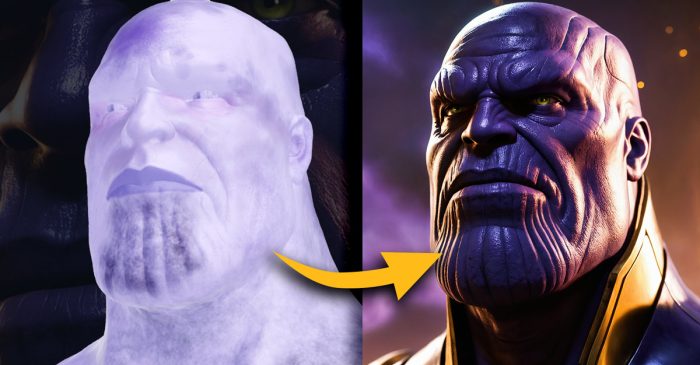
Another full AI Art suite with a unique interface and focus on using 3D models to frame up your images and use them as image prompts to create AI Art from!
Dzine AI
Full AI Art editing suite & Image to 3D tool
Another PACKED Ai Art platform but with a different approach – it’s all embedded into a canvasbased editor, bring it closer to something resembling an AI Powered Photoshop.
Dzine.AI as a range of excellent AI Art tools:
- AI Art Generator based off Stable Diffusion and Flux
- Image to 3D Model AI
- A range of Image to Video options (Runway, Kling, Luma, and more)
- Face Swapping & Face Fix Tools
- Image to Vector Art
- Consistent Characters
- AI Image Editing Tools
- AI Image Enhancer
- AI Product Background Generator
- Basic Design tools like Text, shapes and Layer based editing
Kittl
Graphic Design & Print on Demand AI Powered Editor
Another powerful editor in the same style as Dzine, but more Graphic Design focused with options particular to design that other Ai platforms just don’t have.
- AI Art Generator based off DallE 3 & Flux
- Vector Art AI Generator
- Image to Vector Art
- AI Design Generator
- Basic Vector Editing Tools
- BrandKits
- Cool Texture overlay options
- Insanely good Templates
- Stock element, images and photo search
ChatGPT
The ultimate Ai Chatbot that can help you produce better AI Art
Generate Prompts, styles and Artist info for AI Art platforms. I cover a bunch of tips for ChatGPT as an AI Art tool in this video.
Using ChatGPT is like talking to a person with access to the the world of information on the internet, so ask it any questions about art, imagery, or even to create AI Art with and you can make ChatGPT your ultimate assistant.
Use ChatGPT
Print on Demand Sites
Sell physical merchandise without keeping stock for passive income.
Print on Demand is known for shirts, but also stickers, bags, stationery and many other merchandise can be sold. Just Upscale your art, make any necessary edits (Photoshop is perfect) and then upload a transparent PNG to these sites.
You keep no stock, and the item is printed only after an order is placed and money paid. You keep your cut and it can be a nice passive income source if done well.
You can try:
- Zazzle – massive variety of products to customize
- Spreadshirt – large variety, not as big as Zazzle but less competition
- RedBubble – easy to sell on, a decent variety of products
- Amazon Merch – it’s Amazon, you reach the largest marketplace in the world here!
Midjourney Comprehensive Course
The ultimate course to turn you into a Midjourney Pro!
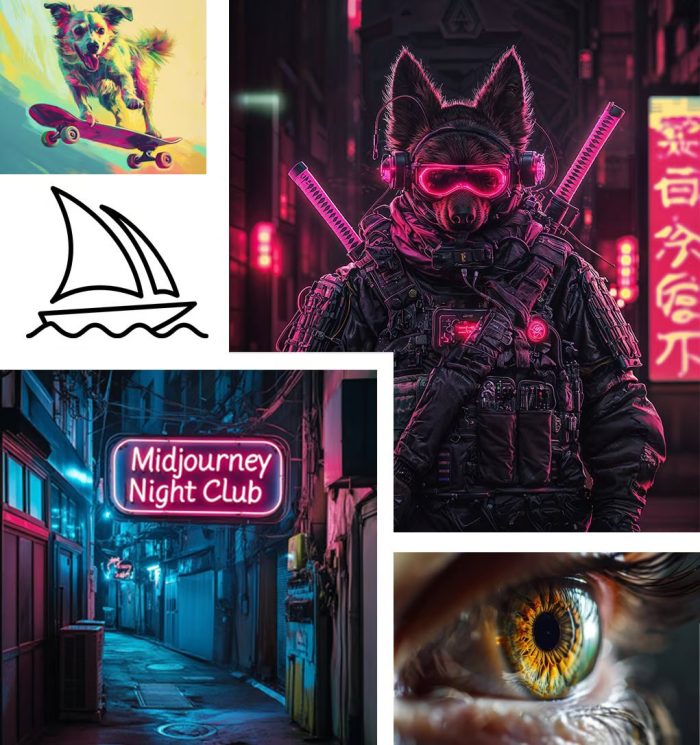
I built this course to help people compeletly master Midjourney and take more control over their AI Art. You can watch a few initial lessons for free.
I share my best information here!
Thanks for putting together such a comprehensive list—especially appreciate the breakdown of platforms like Midjourney, Leonardo AI, and Dzine AI. It’s helpful to see the nuances in what each offers, especially for someone like me who’s still figuring out which tools best fit their workflow. The face and clothes swappers also caught my attention as great additions for refining and personalizing AI-generated art.